
If one of your wheels moves faster than the other, follow these instructions to adjust the values given to the motors.
It uses the same part of the code as in the 'speed up your robot' example!
Before editing the code, you must work out which motor is turning the fastest - this is the one you want to slow down, so that they match.
Drive your robot forwards and check which direction it turns in.
If it turns slightly left, then the right wheel is turning faster than the left one.
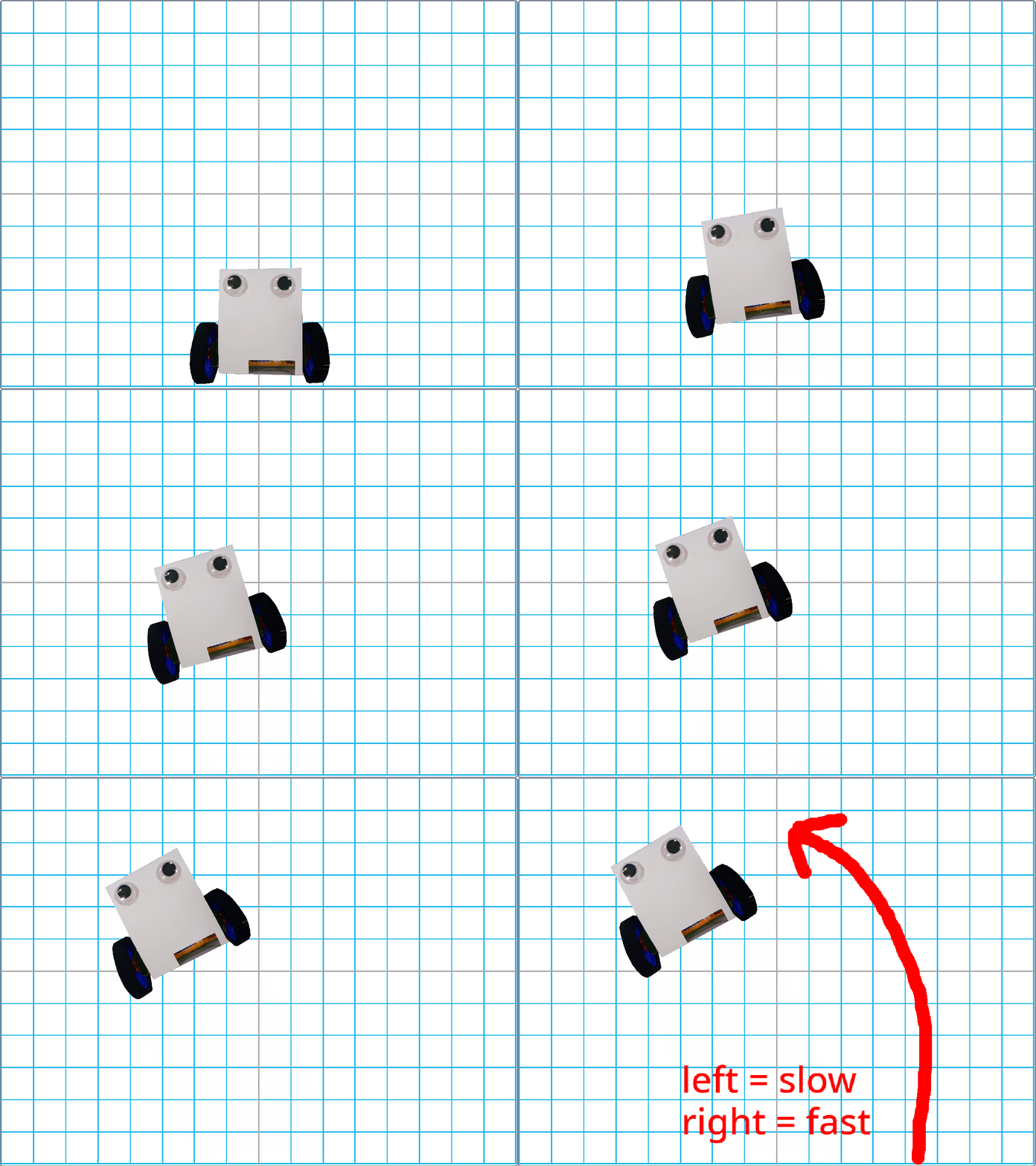
If you have already adjusted your code to speed up your robot, skip to Step 3.
Open your joystick code, and find the def joystick_push(): section, which is above your while True: loop.
You are going to add some new code into this function, do not delete anything that is already there, and don't repeat any lines of code!
Currently, this function works out what numbers to send to the robot, to be the speed of the left and right wheels.
Add two new lines into the function, so that it looks like this:
def joystick_push():
        x = int(pin0.read_analog() - 512)
        y = int(pin1.read_analog() - 512)
        left = (y + x)
        right = (y - x)

        left = int( left * 1 )
        right = int( right * 1 )

        return left, right
The two new lines won't do anything yet - but you can change these to make your robot drive in a straight line.
Test your code by flashing it to your joystick, and make sure that it still works before moving on.
Now you will need to do some experimenting!
Which wheel do you need to slow down?
If the right wheel is moving more quickly, then you will edit the right = line of code.
Try changing the number from 1 to 0.9 - test the code and see what happens - how does your robot drive now?
If you have already adjusted your code to speed up your robot, your numbers will start higher than 1.
Keep changing the number until you are pleased with the result - you won't be able to get it perfect, but try to get it driving as close to a straight line as you can.