
You can create an animation on the micro:bit's screen, by designing a series of images and pausing for a short time between each one - a bit like a flip book!
All of the blocks you need are in the Basics menu.
In the example below, we create a shape in the first show leds block, then move the same shape one row down in the next show leds block!
To complete this animation, we might add more blocks to continue the movement, perhaps letting it go off the bottom of the screen.
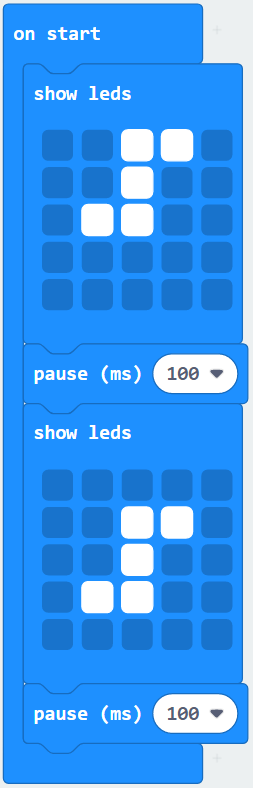
What would be different if the animation was in a forever loop instead of an on start loop?
You can design your images on paper using a 5x5 grid, or do it directly in the micro:bit editor.