
Resources for the 'Bright Lights' Creative Computing Club.
During this workshop, you will use a BBC micro:bit to control addressable LED strings, to make amazing light patterns.
This page recaps what we discussed as a group.
Open the new Python editor by visiting python.microbit.org/. Your screen will look something like this:
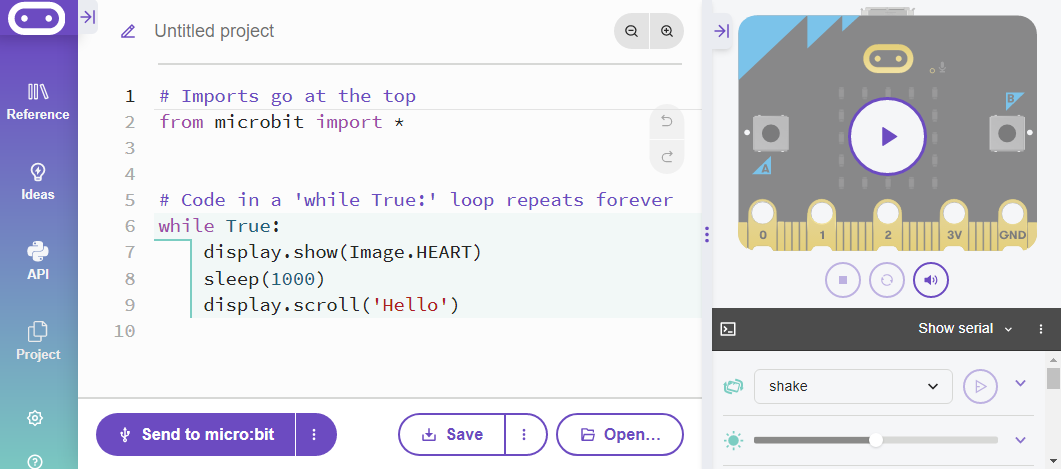
Edit the code on the screen, then flash it to your micro:bit to see the changes.
Try:
Set-up code: if you are in our workshop, the following code will be in your program already. It is needed to make the later things work, and we will explain it as we go through.
If you are not in our workshop, copy and paste all of these lines into the top of your project:
from microbit import *
from random import randint, choice
import neopixel

lights = neopixel.NeoPixel(pin0, 10)

red = (100, 0, 0)
green = (0, 100, 0)
blue = (0, 0, 100)
Neopixels are special LEDs connected together - you can program them all seperately from only one pin of the micro:bit!
They come in lots of shapes and sizes; if you are Science Oxford's workshop, you will get a flexible strip of 10 to start with.
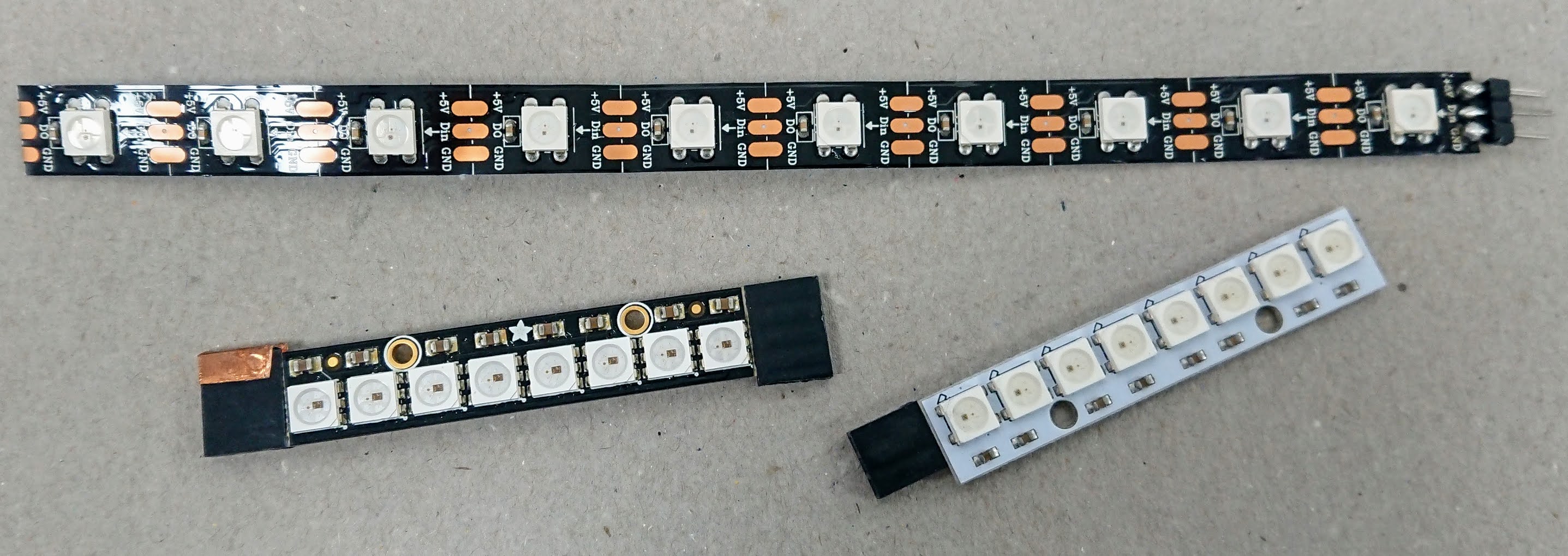
Neopixels have three connections:
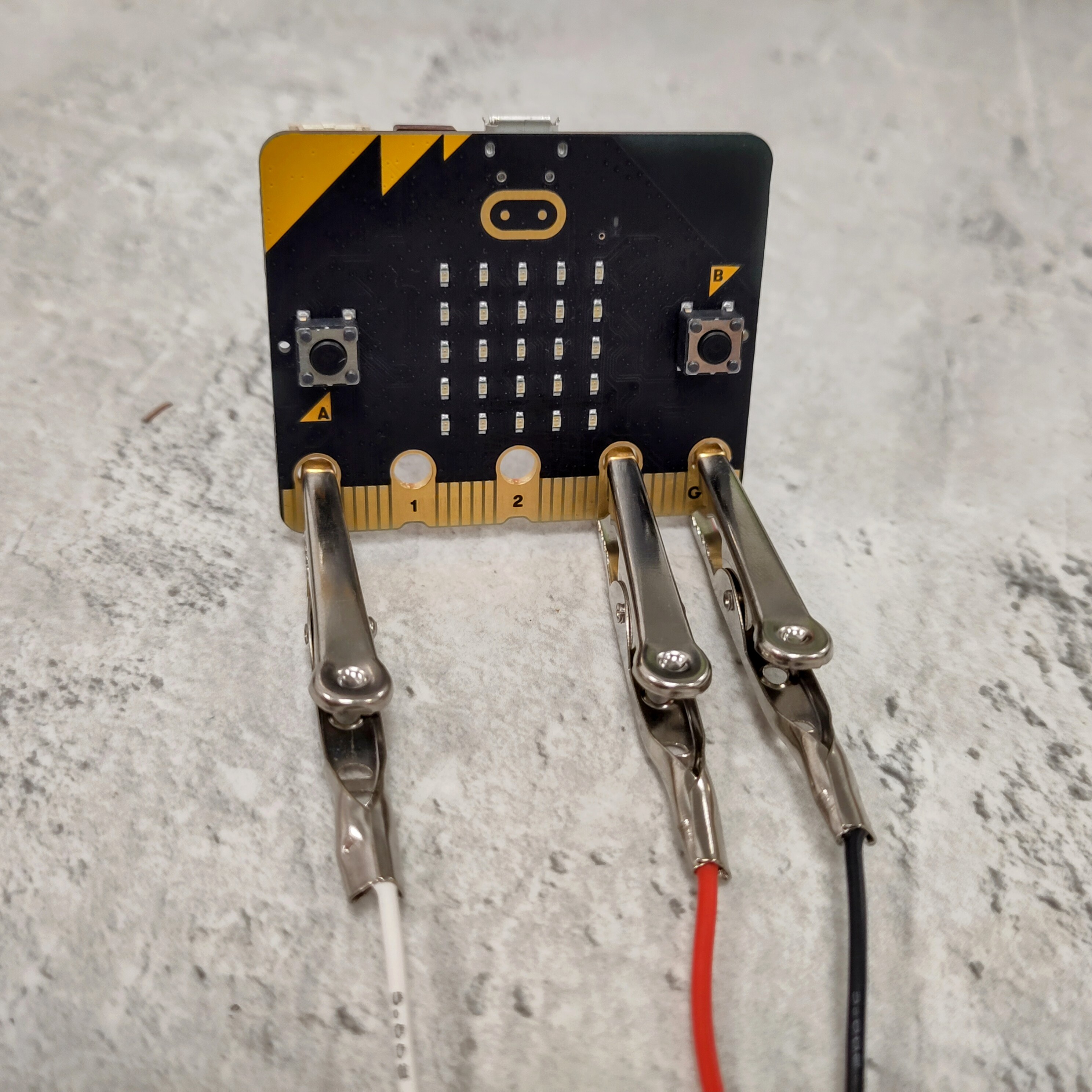
To use the Neopixels, we have done some set-up code for you. The most important line is this one:
lights = neopixel.NeoPixel(pin0, 10)
This says that you have connected them to pin0, and that there are 10 pixels in the strip. If this is not true, you can change these options.
Add the following code into your program (above while True) and test it:
for i in range(0, 10):
    lights[i] = red
    lights.show()
    sleep(1000)
This code does the following things:
See what you can change to make it behave differently.
sleep(50), or delete this line?Challenge: This code only works if you have exactly 10 neopixels. To make your code more robust, edit the for loop like this:
for i in range(0, len(lights))
len(lights) tells the program to check how many pixels are in your set of lights, and run the loop until it reaches the end.
So far, we have used 'red' 'green' and 'blue'. They have been defined using variables, so that you can use the name instead of the numbers that make them.
Each number has a format like this:
colour-name = (red-amount, green-amount, blue-amount)
The colours can be mixed to make different colours, e.g.
yellow = (100, 100, 0)
Use an online colour picker, like this one from w3schools.com, to find the RGB values of your favourite colours.
Choose two or three to start with, and make them into variables. Remember to test them by telling the lights to turn on to that colour!
To allow the program to choose from all of your colours, you need to make a list of them.
Underneath all of your colour variables, add a line like this:
colours = [red, green, blue, yellow]
Add all of your colours from the last step.
Find the for loop where you told the lights which colour to be - instead of specifiying one colour, you are going to tell it to pick from the list:
lights[i] = choice(colours)
Test it out - does it pick different colours for each pixel? Are some the same?
To keep this going, you need to add the code to a while True loop. You can only have one of these at once in Python!
Edit your code so that it looks like this:
while True:
    for i in range(0, 10):
      lights[i] = choice(colours)
      lights.show()
      sleep(1000)
Your original code, with the images and text, will no longer work. This is because the light code is running forever, so the algorithm never reaches the other loop.
Either delete this code, or move your old code up into the new loop.
What pattern would you like to make? If you would like some ideas, look at our demo code examples: