Resources for the 'Carnival of Coding' Creative Computing Club.
During this workshop, you will create a fairground ride using a BBC micro:bit and K'nex.
This page recaps what we discussed as a group.
Download the starter code, go to the editor, and drag-and-drop the starter code into the window - this makes sure that you have all the blocks needed to use our Carnival of Coding boxes.
Follow the instructions to pair your micro:bit, then create your first program.
Combine blocks from the Basic and Inputs menus and try out these ideas:
The micro:bits being used in this workshop are V1. V2 blocks will give you an error message if you try to use them.
Click here to download this example.
Add blocks from the Music menu to your program and try out these ideas:
The micro:bits being used in this workshop are V1. V2 blocks will give you an error message if you try to use them.
Click here to download this example.
Add blocks from the CarnivalOfCoding menu to control the traffic lights on your box.
Use the handouts to replicate real traffic light sequences, or design your own sequence.
Click here to download this example.
Connect your K'nex motor to your box by pushing the red plug into the red socket labelled 'Motor A', and the black plug into the black socket.
Use your blue tack to stick the motor securely to the table. Later on in the workshop you can use K'nex to build a base to attach it to.
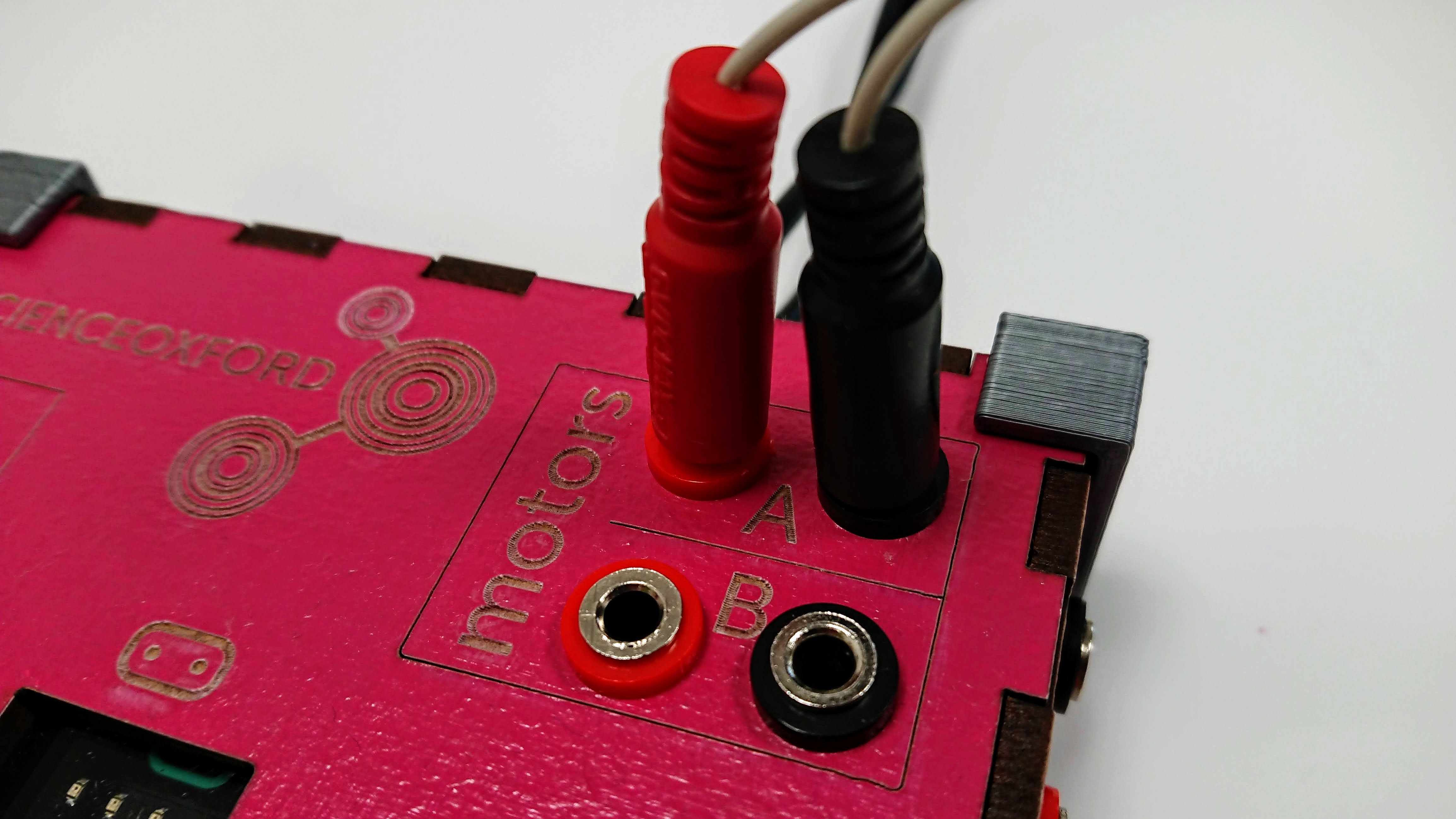
To program your motor, use the CarnivalOfCoding menu.
Important! Add the 'reset motors' block into the beginning of your 'on start' loop - this makes sure that the motors behave as you expect whenever you run your code.
Test out your motors, then try changing:
Click here to download this example.
You now have all of the parts needed to make your fairground ride!
Some things to think about when working on your code:
You can also use the K'nex to expand your physical ride:
At the end of the workshop you can show off your ride to other people.
Give it a name and write down instructions to start and stop your ride.