
A moisture sensor can be pushed into soil to measure how wet or dry it is.
This can also be done using two pieces of metal, e.g. spoons!
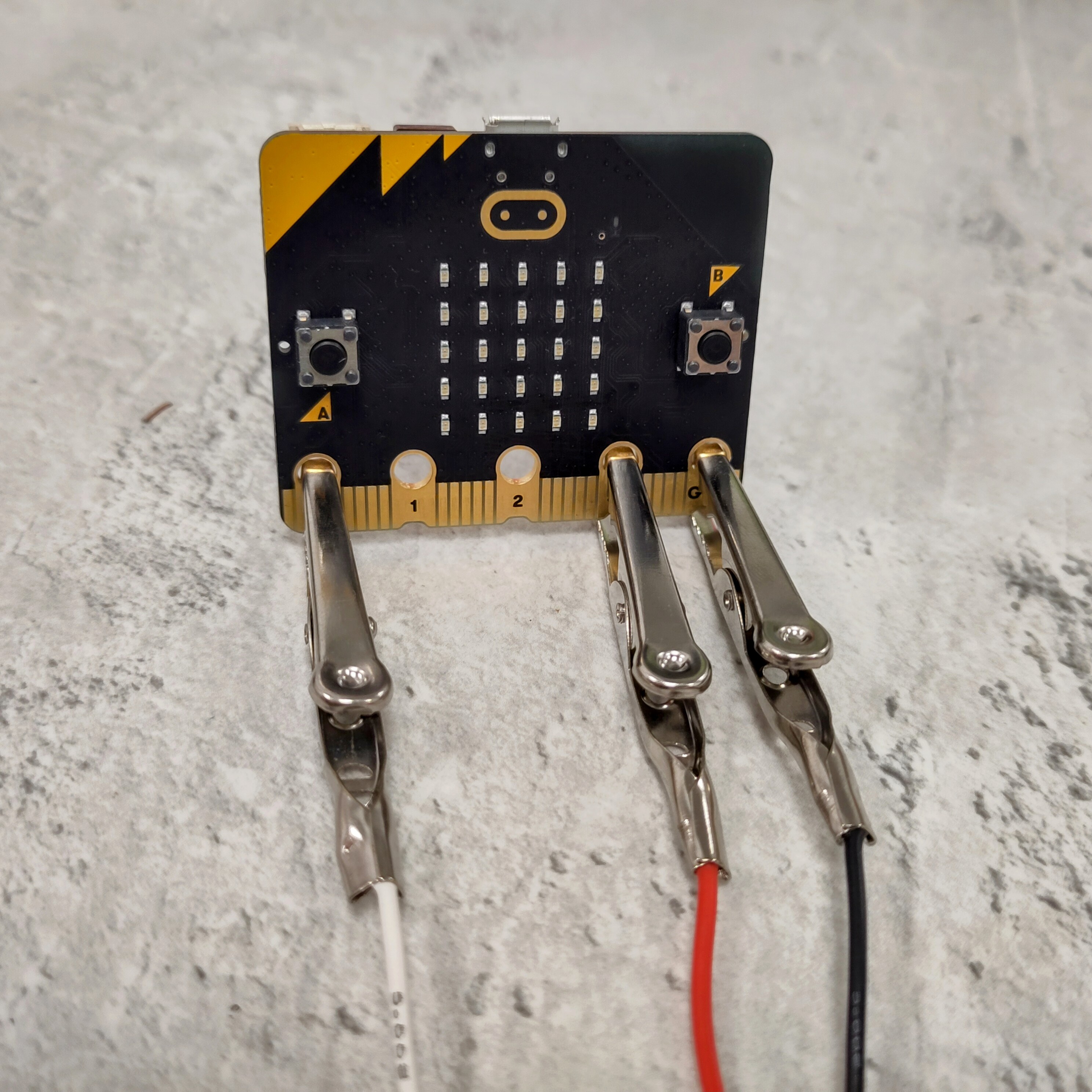
Work out what value your micro:bit is reading right now, then think about what problems you could solve by monitoring moisture levels!
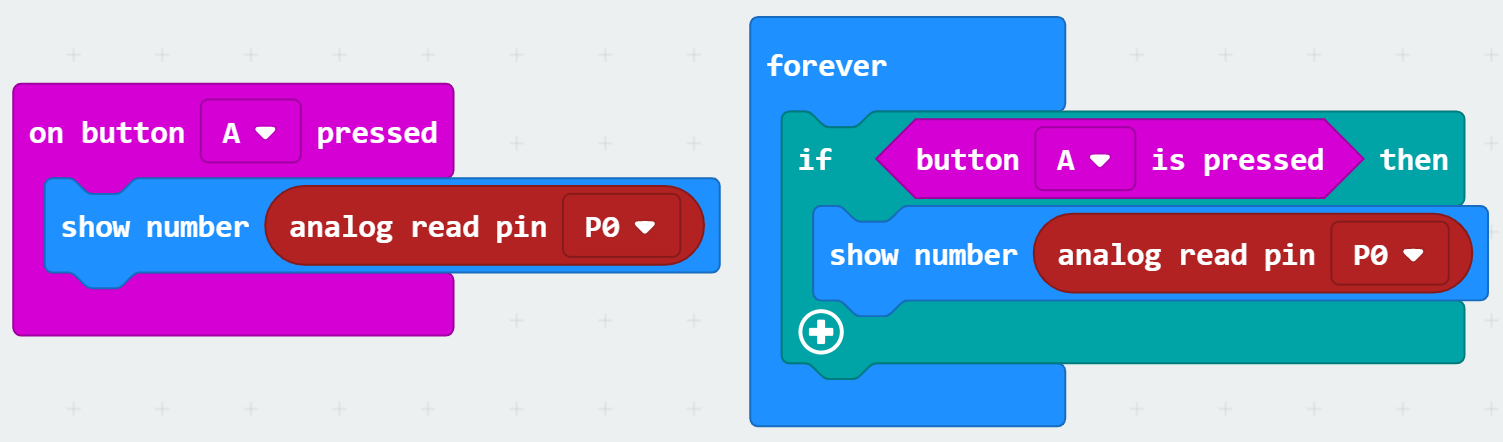
These two blocks of code are equivalent.
The one on the left is good for quick testing.
The one on the right is more useful to us, because you can use it to build more complex programs.
analog read pin means that you will get a number between 0 and 1023.
As well as your Inputs, the blocks you need for this are in the Logic menu, and the Advanced-->Pins menu.
As well as the Conditionals in the Logic menu, you can combine Comparison and Boolean blocks to make a really interesting program!