
The ability to transmit information using radio waves is built into the micro:bit.
The means that micro:bits can send to, and receive information from, other micro:bits!
The micro:bit at the front of the room is waiting to receive messages from you - send information in the correct format, and it will play musical notes.
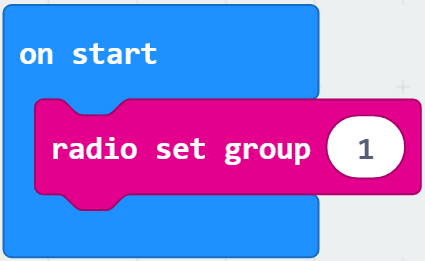
By choosing a group, you can make sure that your messages are only sent to the micro:bits you want to send them to.
The micro:bit at the front is set to Group 1. Find the block you need in the Radio menu, and set your own micro:bit's group to match.
The micro:bit at the front will only respond to certain kinds of information.
If you send it information that it doesn't understand, it will ignore it!
Send it a musical note letters (e.g. A or C#) as a string. Send each note as a seperate instruction.
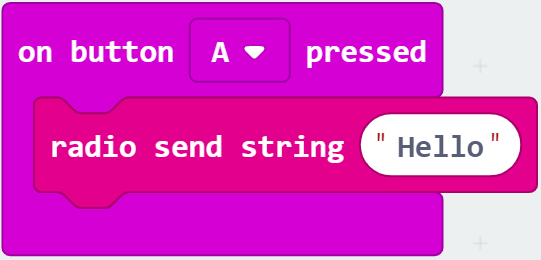
Try sending one note - does the micro:bit at the front play it?
Once you have tested it, see if you can make it play a whole tune!
Can you make your own micro:bit, and the one at the front, play together?
If you would like to take a look at the code that is controlling the micro:bit at the front, download the .hex file and open it in MakeCode.