
Resources for the 'Shake It Out' Creative Computing Club.
During this workshop, you will create a micro:bit musical instrument!
If you are attending this face-to-face workshop, go to micro:bit classroom and enter the classroom name and PIN to join in.
If you want to try again at home, download the starter code, go to the editor, and drag-and-drop the starter code into the window. If you do not have a speaker for your micro:bit, you can use the emulator.
Follow the instructions to pair your micro:bit and create your first program!
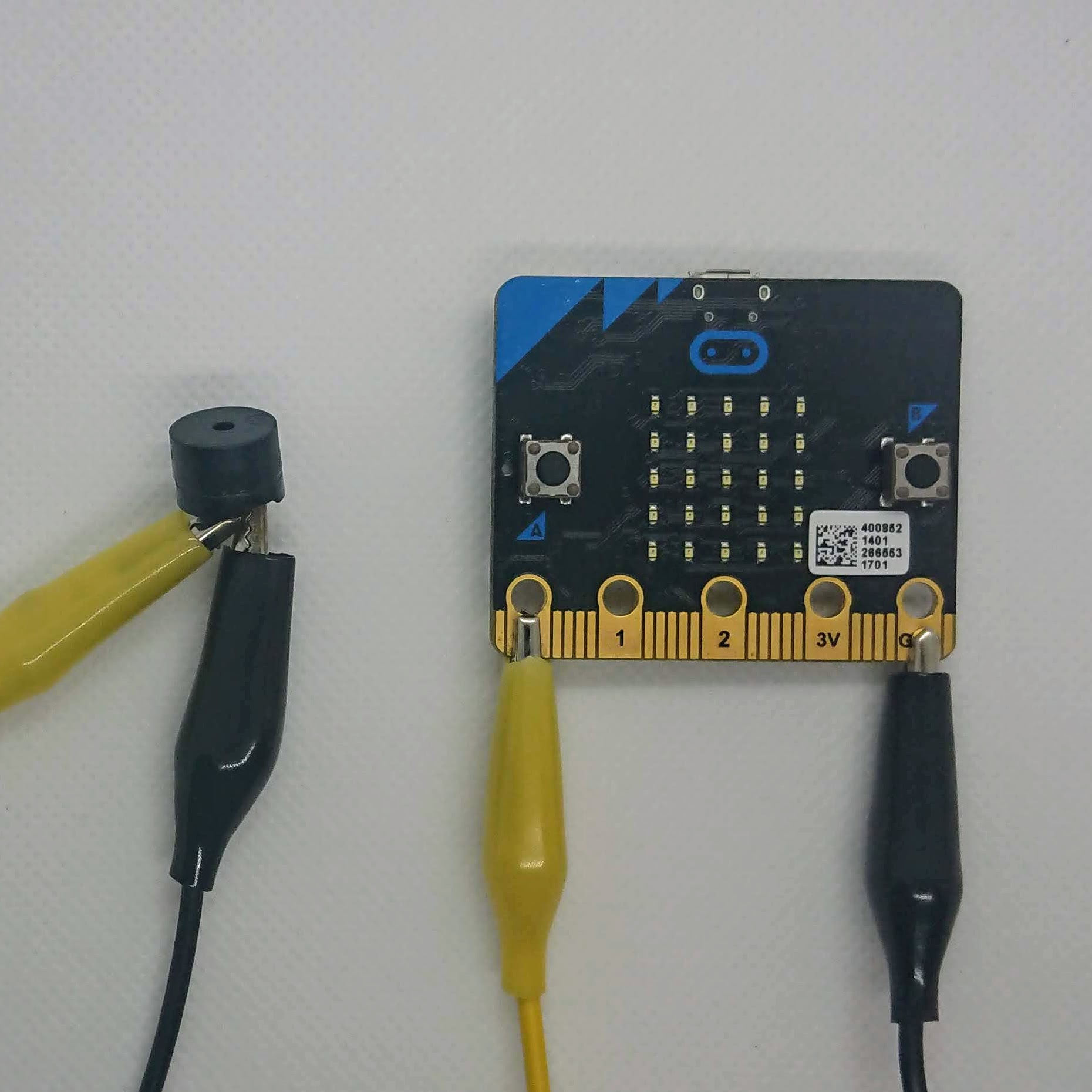
When you are ready, connect your speaker to your micro:bit so you can hear your musical notes:
The accelerometer is built into the micro:bit. It can tell whether is the micro:bit is moving, and whether it is facing up or down.
It can return a gesture - whether the micro:bit is facing up, facing down, being shaken etc. - or x, y, z values.
Find the accelerometer blocks in the Inputs menu, and try making different things happen when you use different gestures.
How do you want to use the accelerometer for your musical instrument?
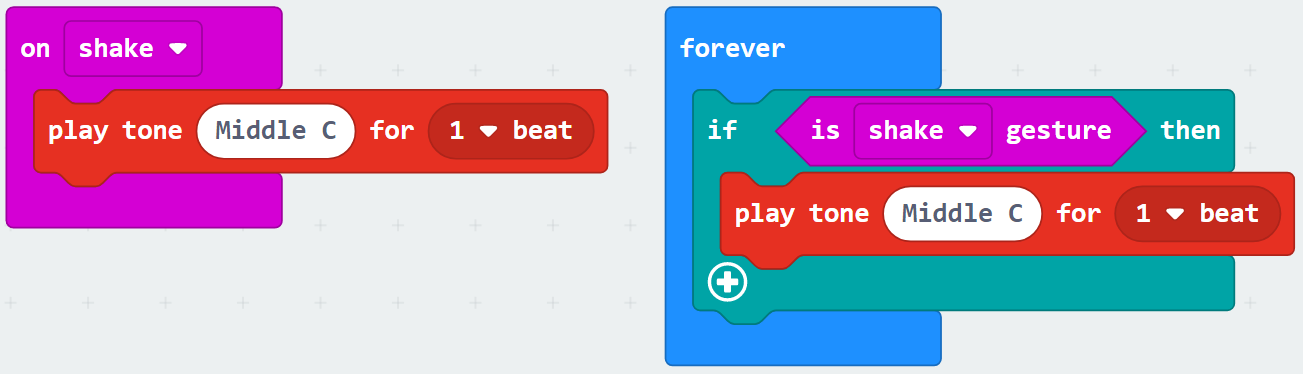
These two blocks of code are equivalent.
The one on the right makes it easier to build more complex programs.
As well as your Inputs, the blocks you need for this are in the Logic menu.
As well as the Conditionals, you can combine Comparison and Boolean blocks to make a really interesting program!
Try out some different combinations to make an awesome musical instrument!
Get creative and add different features to your micro:bit.
The links below will help you with a couple of our ideas!