
Currently, even if your player loses the game, they can keep playing.
This is because all of the code happens within a while True (forever) loop.
You can edit the main game code to escape the loop, so find this section of your code.
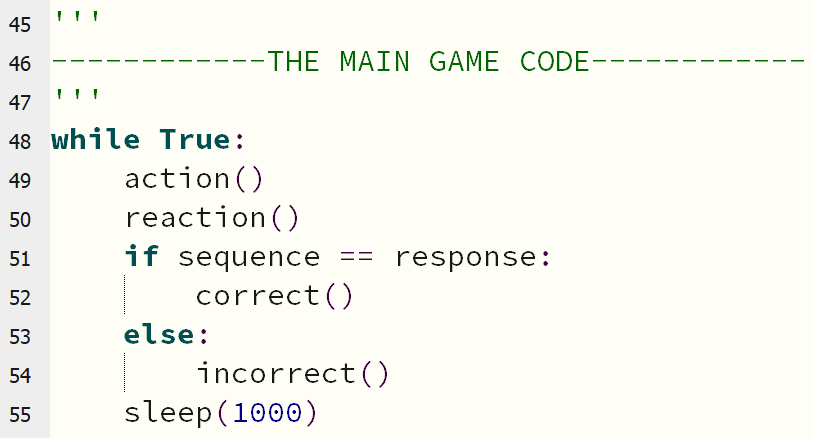
One way of stopping the game is to break out of the loop, and then run some extra code.
In your main loop, there is code to tell when the player is incorrect:
    else:
        incorrect()
Add a new line underneath:
break
Now, when your player loses the game, the game stops running!
How do you want to let the player know the game is over?
Add some new code right at the bottom of your program, below your main loop, and not inside it.
Your new code should sit all the way to the left, and not be indented at all - this means it will happen outside the loop!
Some ideas to start you off...
display.scroll("GAME OVER")display.show(Image.SKULL)music.play(music.POWER_DOWN)To hear the music, you will need to add a speaker first!
Collect the following items...
How about making the micro:bit play musical notes as the sequence, instead of showing you the letters?
Click here for some help!