
To keep track of the score, you need to know whether the play has won or lost.
Find the section of code that controls what is displayed at the end of a loop - the correct / incorrect functions.
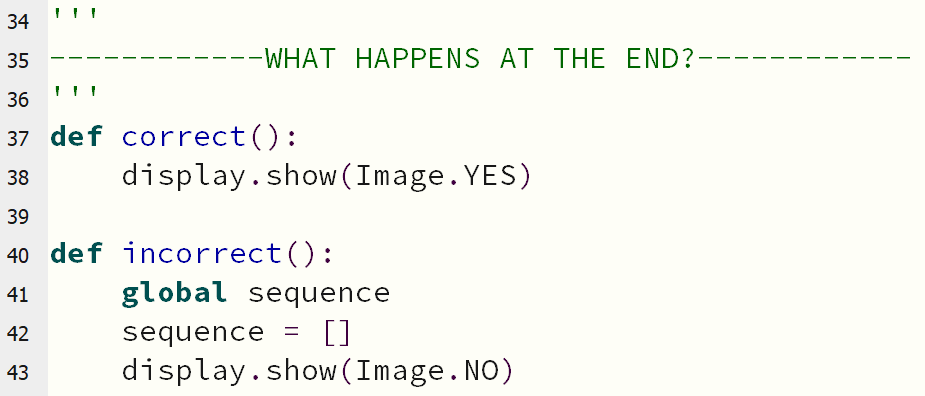
At the top of this section, add a new line just above def correct() .
Here, create a variable, which will keep track of what the score is, by adding the following line:
score = 0
Now, look at the correct function - inside here is where you say what happens when the player is right.
Add into this block of code the following lines, to increase the score by 1:
    global score
    score += 1
The score will now increase whenever the player is correct.
global is needed because variables work differently inside functions! This will tell it to use the score variable you defined a moment ago.
If the player is incorrect, instead of increasing the score, you can set it back to zero again!
Add the below code into incorrect function:
    global score
    score = 0
Think about when you want to display the score.
when the incorrect function runs, the score will be set to zero - so think carefully about the order that things happen in!
To show the score on the micro:bit's display, you can use this code:
display.scroll(score)
How about adding extra options, so the game gets harder for your player?
Click here for some help!