
Resources for the 'Tech for Change' Creative Computing Club.
This page recaps what we discussed as a group.
To skip to the examples and ideas, click here.
At Science Oxford, we have a large woodland, ponds and meadows.
You can use use technology to design a solution to a problem that effects the wildlife living here.
Some problems we have include:
Go to the MakeCode editor, and click New Project.
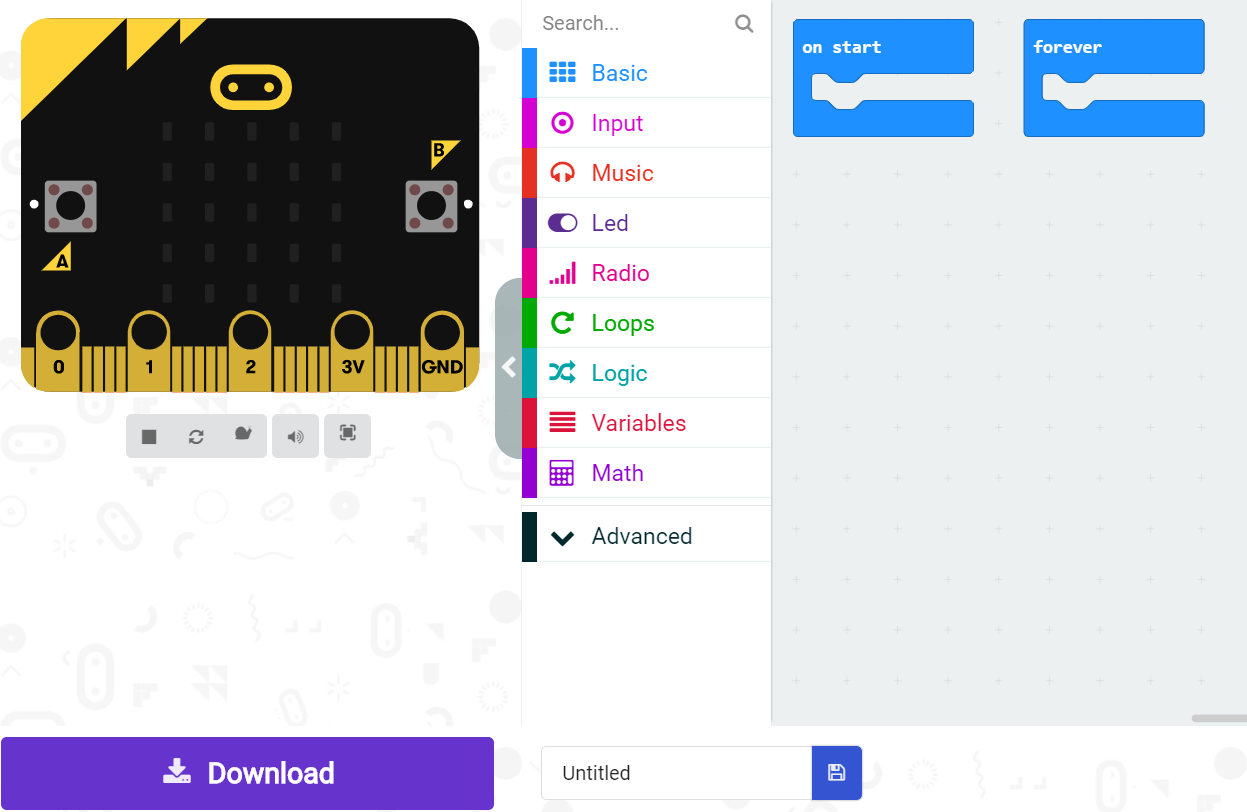
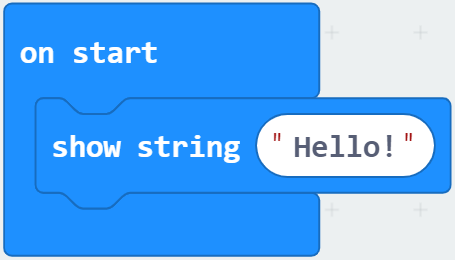
Drag and drop code blocks (click into the Basic menu), to recreate this code:
You will see it running on the emulator on the left of your screen.
Follow the instructions to pair your micro:bit, then click Download to send your code to your physical micro:bit.
Try this code:
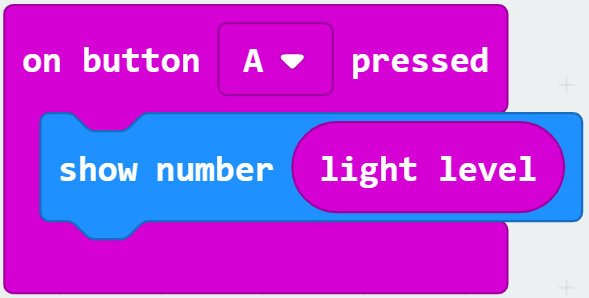
If you press Button A on your micro:bit, it will display the light level at the time the button was pressed.
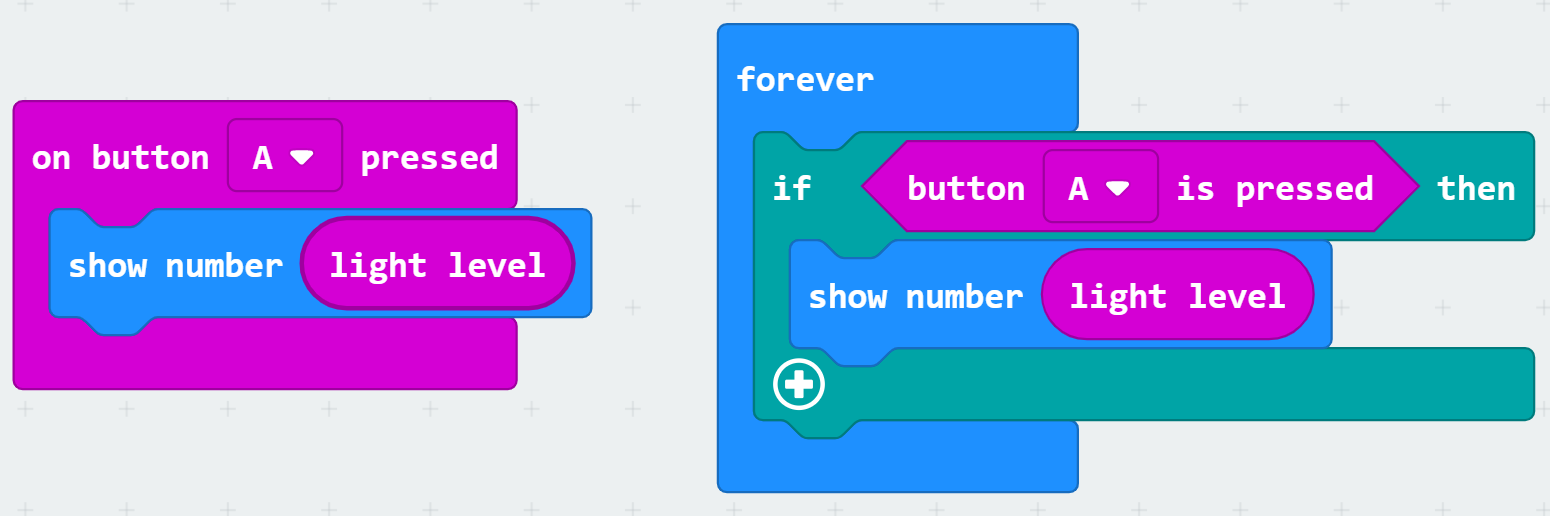
These two blocks of code are equivalent.
The one on the left is good for quick testing.
The one on the right is more useful to us, because you can use it to build more complex programs.
The block you need to create this new code is in the Logic menu.
Next, add to your code, by clicking the + button at the bottom.
Make something different happen when the button is not pressed (else), for example clear the screen.
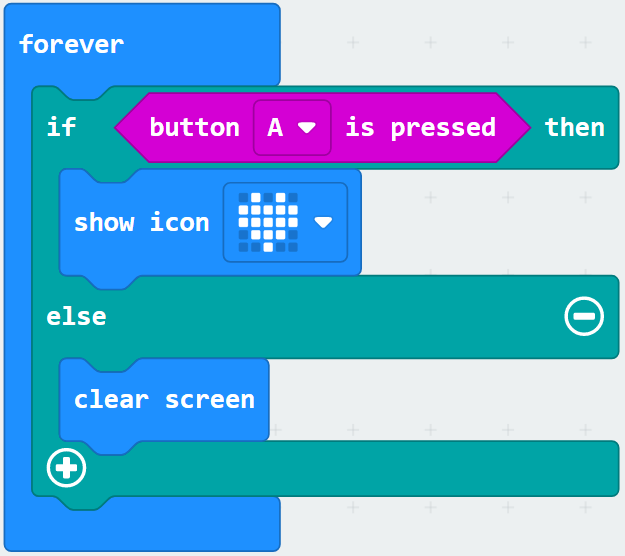
There are lots of useful blocks in the Logic menu.
As well as the Conditionals we have just used, you can combine Comparison and Boolean blocks to make a really interesting program!
Think about what you want to achieve, then experiment with the code blocks.
The micro:bit has many different sensors you can use. To decide where to start, think about what problem you want to solve.
Some sensors are in the inputs menu:
You can also use other outputs, such as a speaker and the Music blocks.
The links below give you some help with some more challenging ideas.