
Resources for the 'Time Games' Creative Computing Club.
This page recaps what we discussed as a group.
To skip to ideas for your next steps, click here.
Open the Mu editor on your computer. If there is code on the screen, start a New program from the menu.

Type these two lines of code into your blank window:
from microbit import *
display.show(Image.HAPPY)
Plug your micro:bit into the computer, then click Flash:

Some code should be running on your micro:bit!
If you get a message scrolling across the micro:bit's screen, this is an error message!
Debug your code, then click Flash again to test your changes.
Once your code is working - change it!
Instead of HAPPY, can you think of another Image the micro:bit could show on its display?
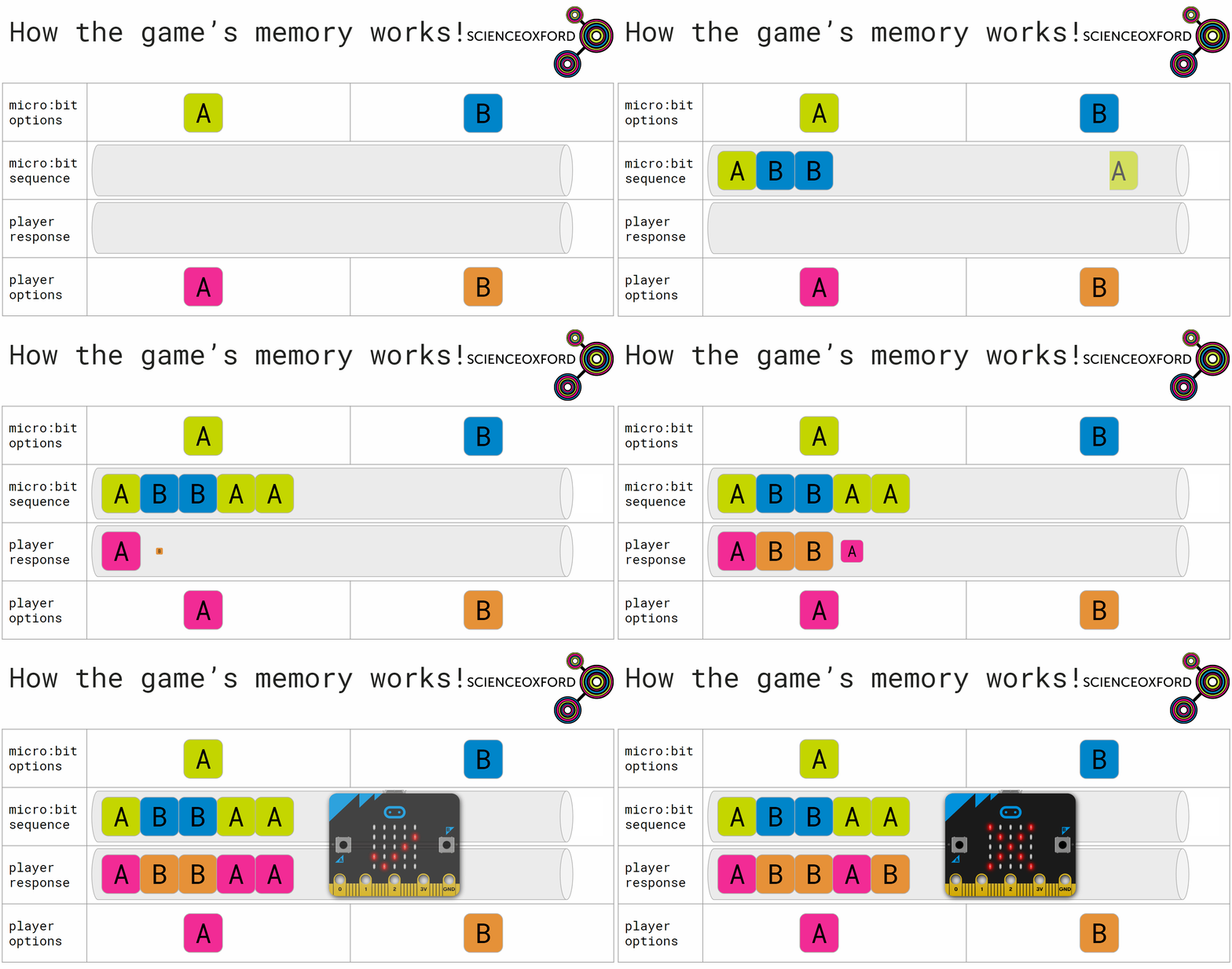
The code below is a working game.
from microbit import *
import random
import music
'''
------------WHAT DOES THE MICROBIT DO?------------
'''
sequence = []
options = ["A", "B"]

def action():
    global sequence
    choice = random.choice(options)
    sequence.append(choice)

    for item in sequence:
        display.show(item)
        sleep(500)
        display.clear()
        sleep(500)

'''
------------WHAT SHOULD THE PLAYER DO?------------
'''
def reaction():
    global response, sequence
    response = []
    while 0 <= len(response) < len(sequence):

        if button_a.was_pressed():
            response.append("A")
        if button_b.was_pressed():
            response.append("B")

'''
------------WHAT HAPPENS AT THE END?------------
'''
def correct():
    display.show(Image.YES)

def incorrect():
    global sequence
    sequence = []
    display.show(Image.NO)

'''
------------THE MAIN GAME CODE------------
'''
while True:
    action()
    reaction()
    if sequence == response:
        correct()
    else:
        incorrect()
    sleep(1000)
The last section of the code is where all the good stuff happens - inside the main loop.
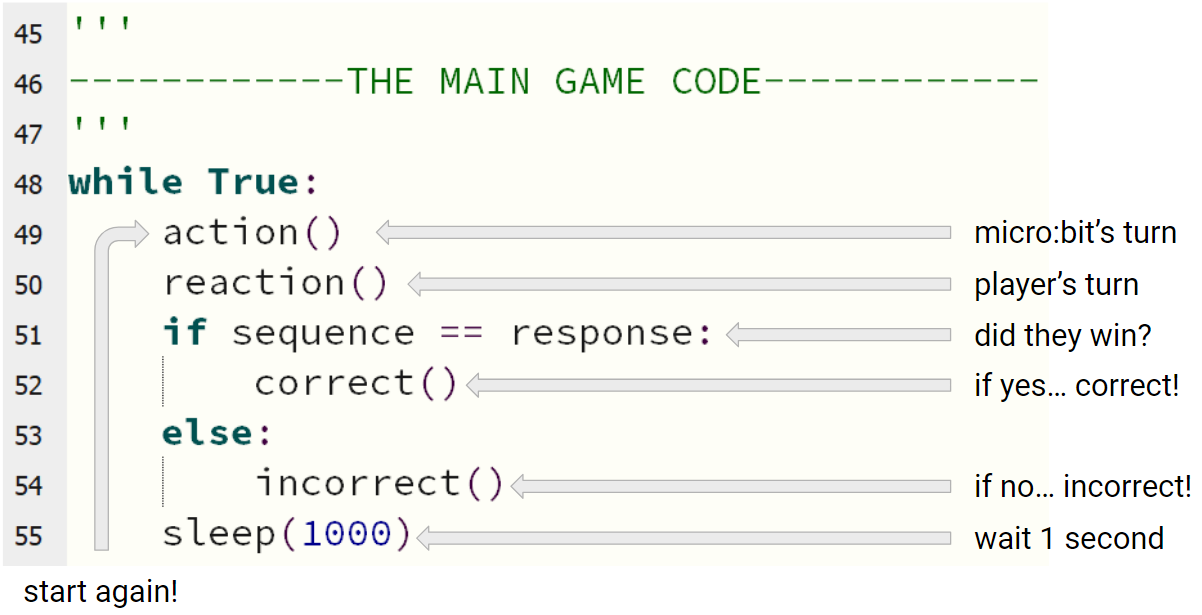
The things that happen when the micro:bit takes a turn, and how it understands inputs from the player, are defined by the functions further up the code.
Each important section is labelled with a comment, like this:
'''
------------WHAT DOES THE MICROBIT DO?------------
'''
When deciding what to add to, or change, in the code, think careful about where your changes need to happen.
The links below give you some ideas and help to improve your game.
Use the print-outs of the code around the room to help you - think about where your changes need to happen!
Do you want to...